

Access · Your CRM
Your CRM.
The few things you might do yourself. We handle the rest.
Log in and get the app
Add a team member
Click the gear at the bottom left of your CRM.
- Users (left menu)
- Add user
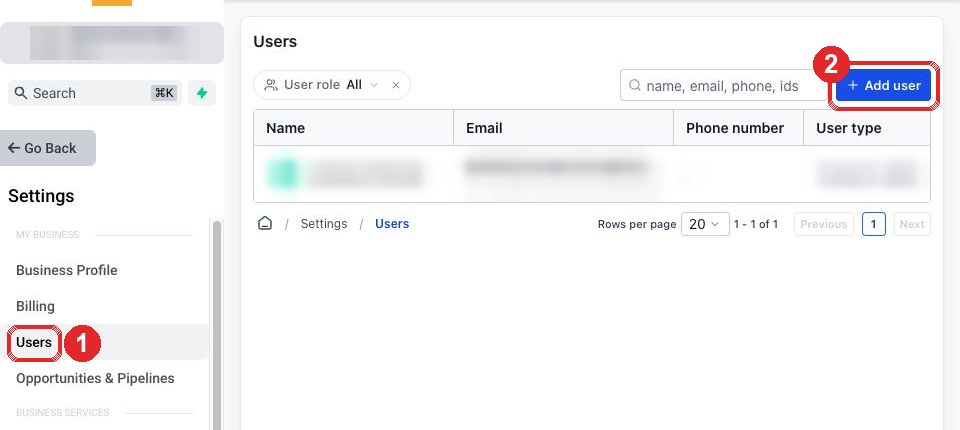
Name, email, role User, save. They get an email invite.
Download your contacts
- Contacts (left menu)
- The three dots at the top right
- Export
A download link arrives by email.
Tick off what you have done
Email this checklist to yourself
Ticks are saved in this browser only, so you can come back and see what is left. Skip any line that does not apply to you.
Stuck? Reply STUCK to our email with a screenshot.